Day #55: Understanding Configuration Management with Ansible

What's this Ansible?
Ansible is an open-source automation tool, or platform, used for IT tasks such as configuration management, application deployment, intraservice orchestration, and provisioning
Task-01
- Installation of Ansible on AWS EC2 (Master Node)
sudo apt-add-repository ppa:ansible/ansiblesudo apt updatesudo apt install ansible
Task-02
- read more about Hosts file
sudo nano /etc/ansible/hosts ansible-inventory --list -y
Task-03
Setup 2 more EC2 instances with same Private keys as the previous instance (Node)
Copy the private key to master server where Ansible is setup
Try a ping command using ansible to the Nodes.
“Ansible is an open-source IT engine that optimizes the deployment of IT technologies, including intra-service orchestration, cloud provisioning, as well as application deployment. Because Ansible pushes modules toward clients rather than using any client-side agents or customized security architecture, it is simple to implement. The output of such modules was sent back to that same Ansible server once they had been run locally on that client side.
It can quickly establish SSH-Key connections with clients, streamlining the entire procedure. The files, which are sometimes called inventory folders, include the client data. Ansible may utilize an inventory file that you’ve produced but also filled up.
Ansible employs the playbook that utilizes plain language, i.e., YAML, to specify automation jobs. Although YAML is frequently used only for configuration files, it may be utilized in a wide variety of applications whereby data is already saved. The fact that any of the IT infrastructure support staff can understand and read the playbook but also troubleshoot if necessary is a huge advantage.
Ansible Advanced Host List Inventory
Step 1: Check the Default Host List Inventory in the Target Remote Host Device
First, we check how many hosts are in the inventory of the Ansible tool. For that, we employ the “ansible” statement with “—list-hosts” so that we can display the default handled nodes in the inventory.
[root@master ansible]# ansible all --list-hosts

The Ansible terminal displays “0 hosts” as you can see in the provided response because we didn’t declare the inventory. We generate the inventory to list the host’s inventory in the terminal before we address this.
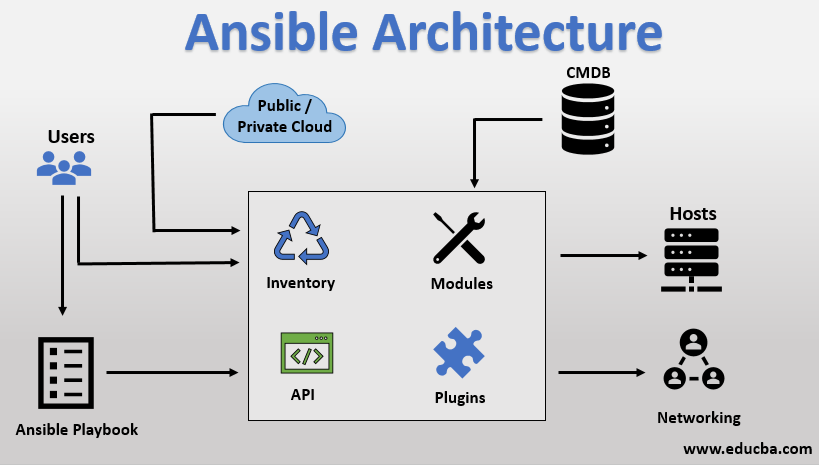
Task-01: Ansible Master Setup
Installation of Ansible on AWS EC2 (Master Node)
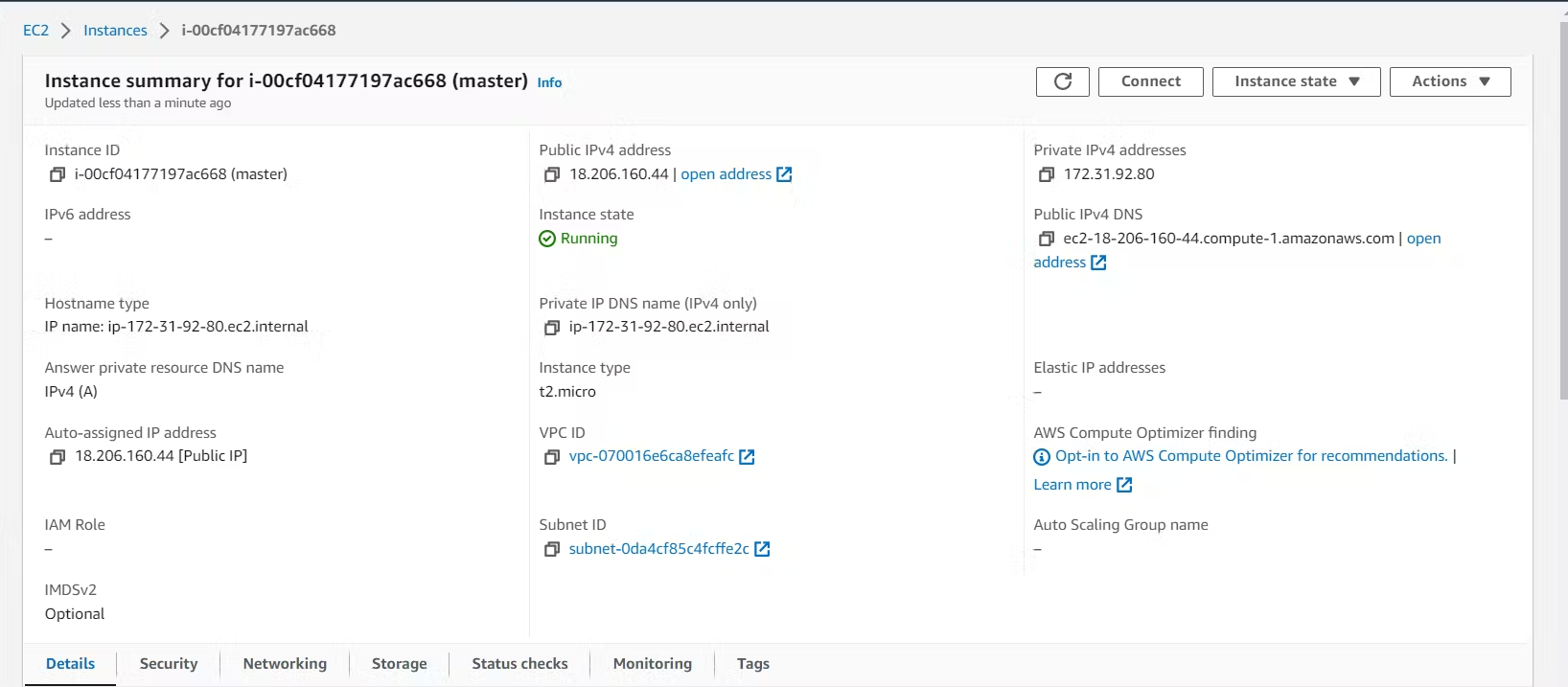
Create an instance and name it Master. This server will be used as a master Ansible server.
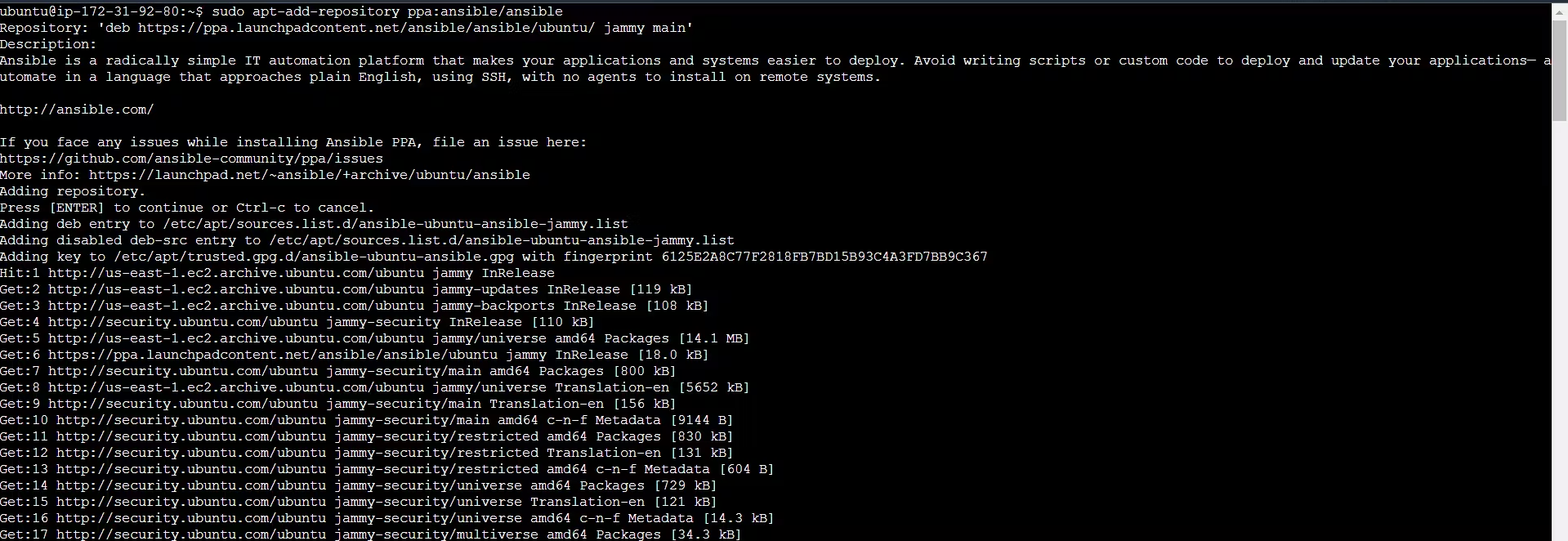
Login to the server and create an ansible repository on the server.
sudo apt-add-repository ppa:ansible/ansible
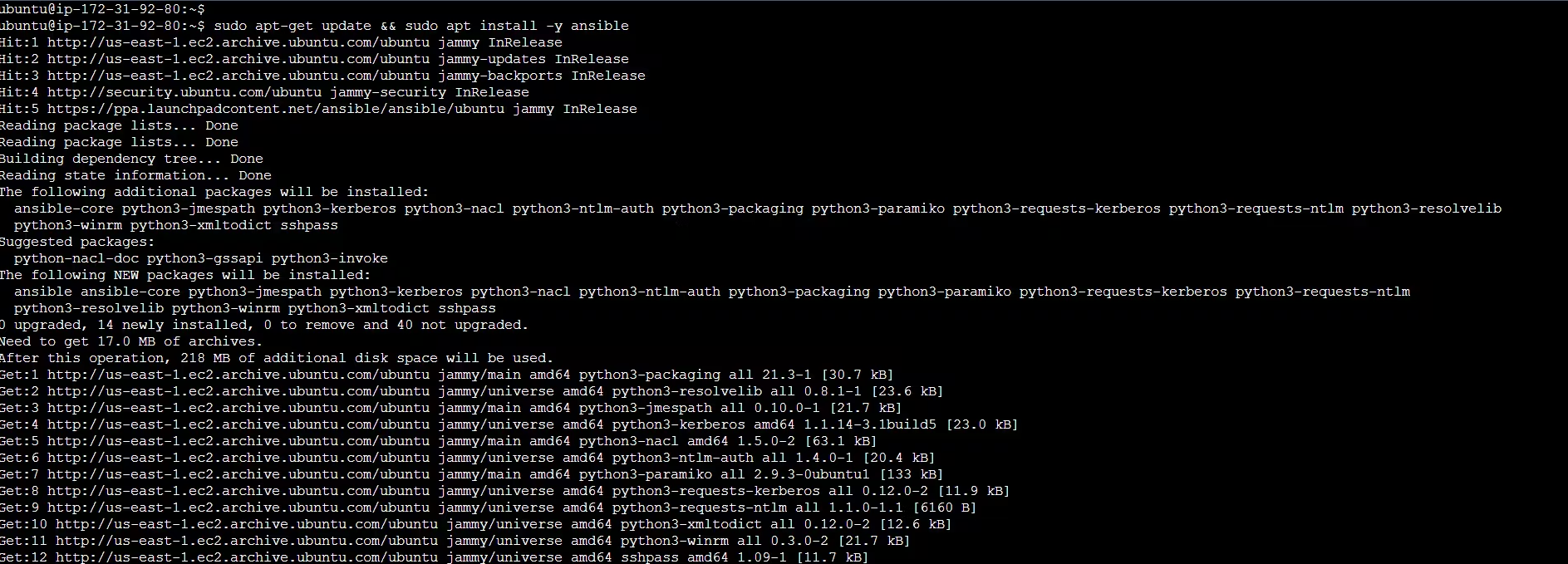
Now install ansible on the install by following the below command.
sudo apt update && sudo apt install -y ansible
Task-02: Creating Inventory
Ansible Inventory - Ansible automates tasks on managed nodes or “hosts” in your infrastructure, using a list or group of lists known as inventory. You can pass host names at the command line, but most Ansible users create inventory files. Your inventory defines the managed nodes you automate, with groups so you can run automation tasks on multiple hosts at the same time. Once your inventory is defined, you use patterns to select the hosts or groups you want Ansible to run against.
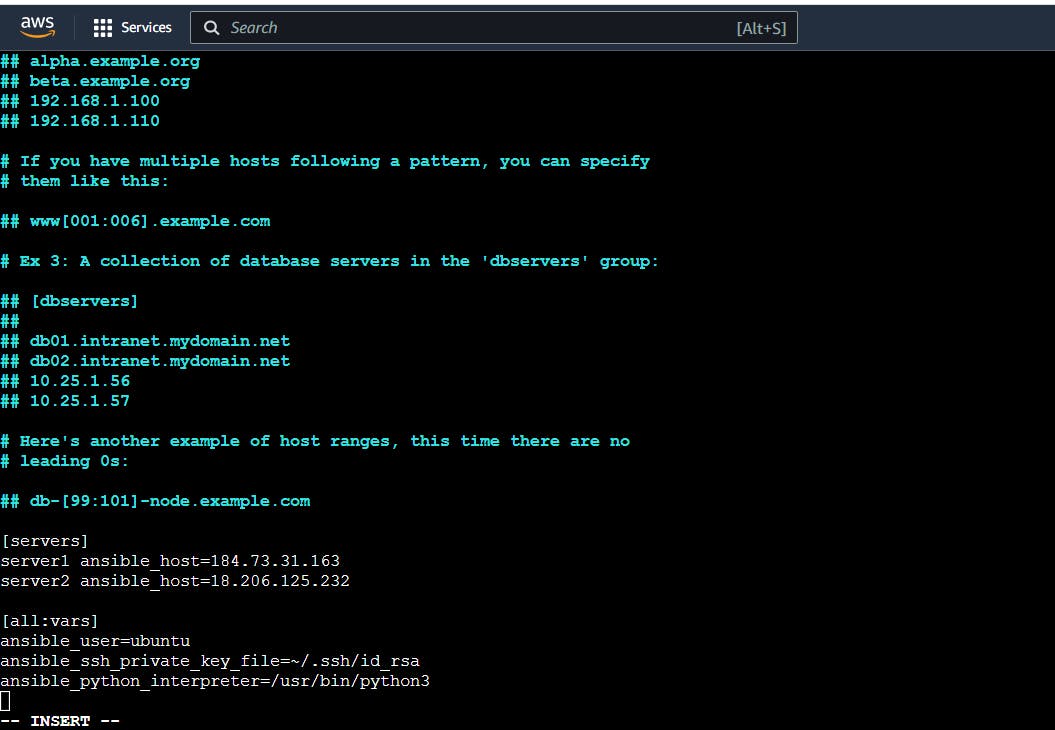
Create an inventory file in the below path and name the file as host.
sudo nano /etc/ansible/hosts
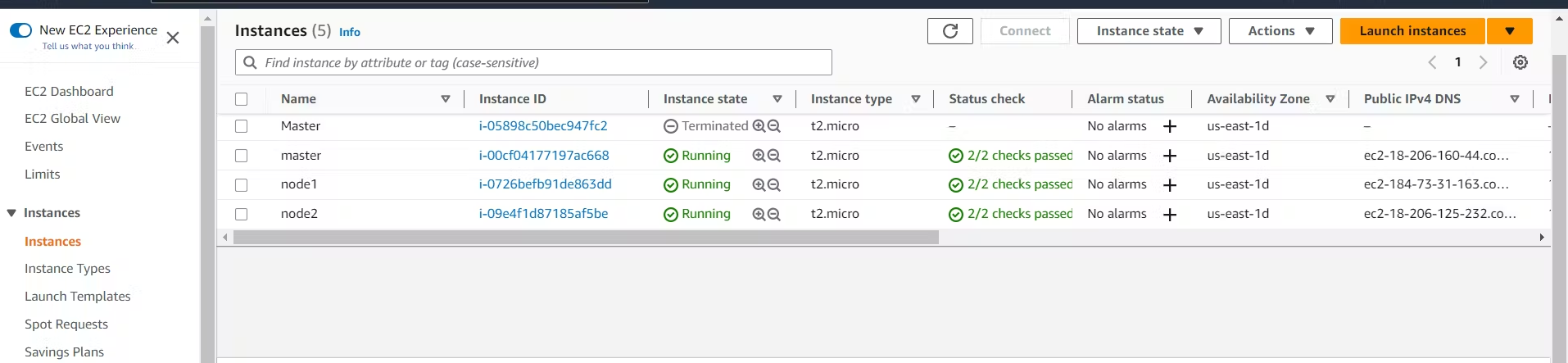
Before that, we need to create two Ansible node servers which will be connected to the Ansible master server.
Assign the values in the file as shown in the below screenshot and save.
Let's verify the inventory that we have created.
ansible-inventory --list -y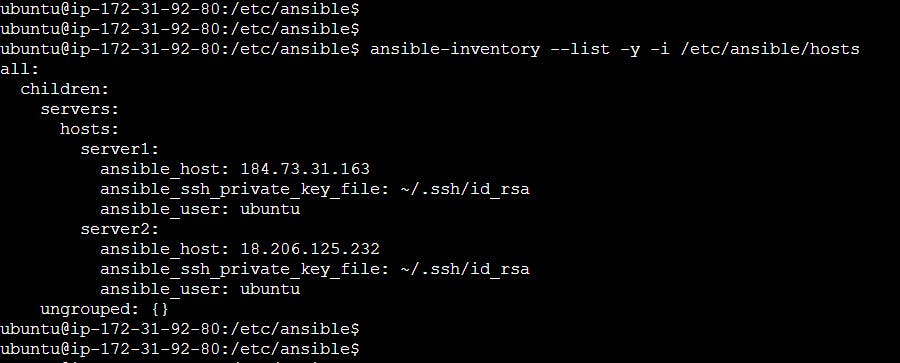
Task-03: Ansible Master-Node Configuration
Setup 2 more EC2 instances with the same Private keys as the previous instance (Node)
We have created the two servers and set up the server to master the above task.
Copy the private key to the master server where Ansible is set up.
Create a public key on the master server and copy the key using the ssh-keygen command.
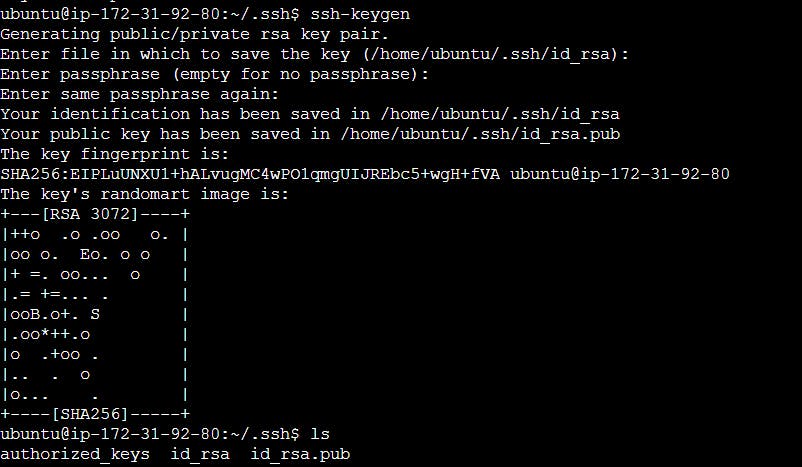
We can see id_rsa.pub which is the public key of the master server.

Copy the above public key of the master to both the node server.


Try a ping command using Ansible to the Nodes.
Now, use the ping command with the input of inventory file to it so that it will ping both the node servers.
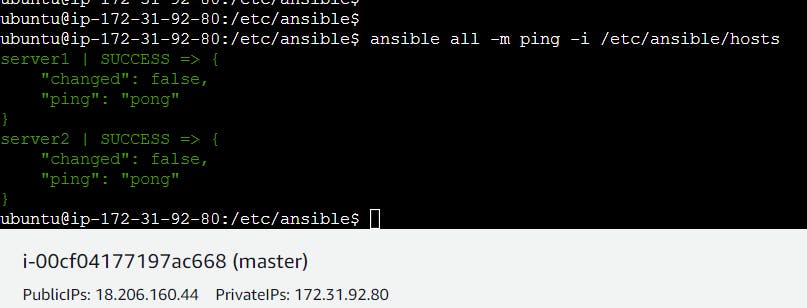
Servers are in active states because pings are successful.